
Teleprompter for Video Interviews: Read Notes Naturally
On this page
You have a video interview on Zoom or Google Meet in an hour. You've rehearsed your answer to "tell me about yourself," you know the three projects you want to mention, and you've written down two questions to ask at the end. The problem is the format: the moment you glance down at your notes, the camera shows it. Your eyes drop, you lose the thread, and the recruiter watches you read.
This is the exact gap a teleprompter fills. It keeps your notes near the lens so you can look at the camera and read at the same time. People have used them for news, YouTube, and speeches for years. Video interviews are just the newest place the same trick helps.
First, the honest question: is this cheating?
It depends entirely on what's on the screen.
Reading your own prepared talking points is the video-call version of bringing notes to an in-person interview. Nobody blinks when a candidate sets a notepad on the desk with their key examples and a couple of questions jotted down. Doing the same thing on a screen near your webcam is the same kind of preparation, not a trick.
What employers increasingly do object to is a different thing: live AI tools that listen to the question and generate an answer for you in real time. Amazon, for example, now explicitly bans candidates from using generative-AI assistants during interviews, treating it as an unfair advantage that undermines a fair assessment. That's the line. A teleprompter showing notes you wrote yourself is on one side of it; an AI feeding you answers you've never thought about is on the other.
Two practical rules keep you safely on the right side:
- Use your own words, prepared in advance. A teleprompter should hold things you already know and could say without it. It's a safety net, not a script someone else wrote.
- Check the employer's policy. Some roles, especially anything testing live problem-solving, expect unaided answers. If they've said no notes, respect it.
The setup that actually looks natural
The whole effect depends on how close your notes sit to the camera. The further the text is from the lens, the more obvious it is that your eyes are pointed off to the side. That's what reads as "reading."
The setup most people land on is simple: take the interview on your laptop, and put your phone running the teleprompter right below the webcam, propped against the base of the screen. Your eyes stay aimed at the lens, the text is inches away, and there's no visible glancing across the room. A small phone stand helps, but a propped-up case works in a pinch.
A few things that make it convincing:
- Camera at eye level. Stack the laptop on a few books so the webcam meets your eyes, like you're sitting across a desk. This also flatters you more than the up-the-nose laptop angle.
- Big enough font. Set the text large so you can read it without leaning in or squinting. Squinting is the tell.
- Look away on purpose. Staring dead into the lens for ten straight minutes is its own kind of unnatural. Let your eyes drift while you think, the way anyone does in conversation, then come back.
Why a voice-following teleprompter fits interviews
Most teleprompter apps scroll at a fixed speed you set ahead of time. That's fine for a script you've timed to the second. An interview is the opposite of that. You don't control the pace; the interviewer does. They interrupt, they follow up, they ask you to expand on the third point and skip the second. A fixed-speed crawl has no idea any of that is happening, and you end up thumbing a speed slider on camera, which looks exactly as distracted as it sounds.
A voice-following teleprompter solves the pacing problem by listening instead of guessing. It tracks where you are in your notes and moves the text to match your actual speaking. Pause to think about a follow-up and it waits. Slow down on a tricky point and it slows with you. Go off-script to answer something unexpected, then return, and it picks you back up. You're never managing the scroll, so your attention stays on the conversation.
VoiceScroll works this way, and by default it does the speech recognition on-device. On iPhone and iPad your microphone audio and notes stay on the phone by default; on Android VoiceScroll asks for on-device recognition by default and doesn't pick a server-based recognizer by itself. That matters more than usual here: your prep for a job interview is exactly the kind of thing you don't want sitting on someone's server. If your Android phone can't recognize your language offline, the app tells you instead of switching to a server on its own; for that language you can try Online recognition, which sends your audio to Google and needs an internet connection.
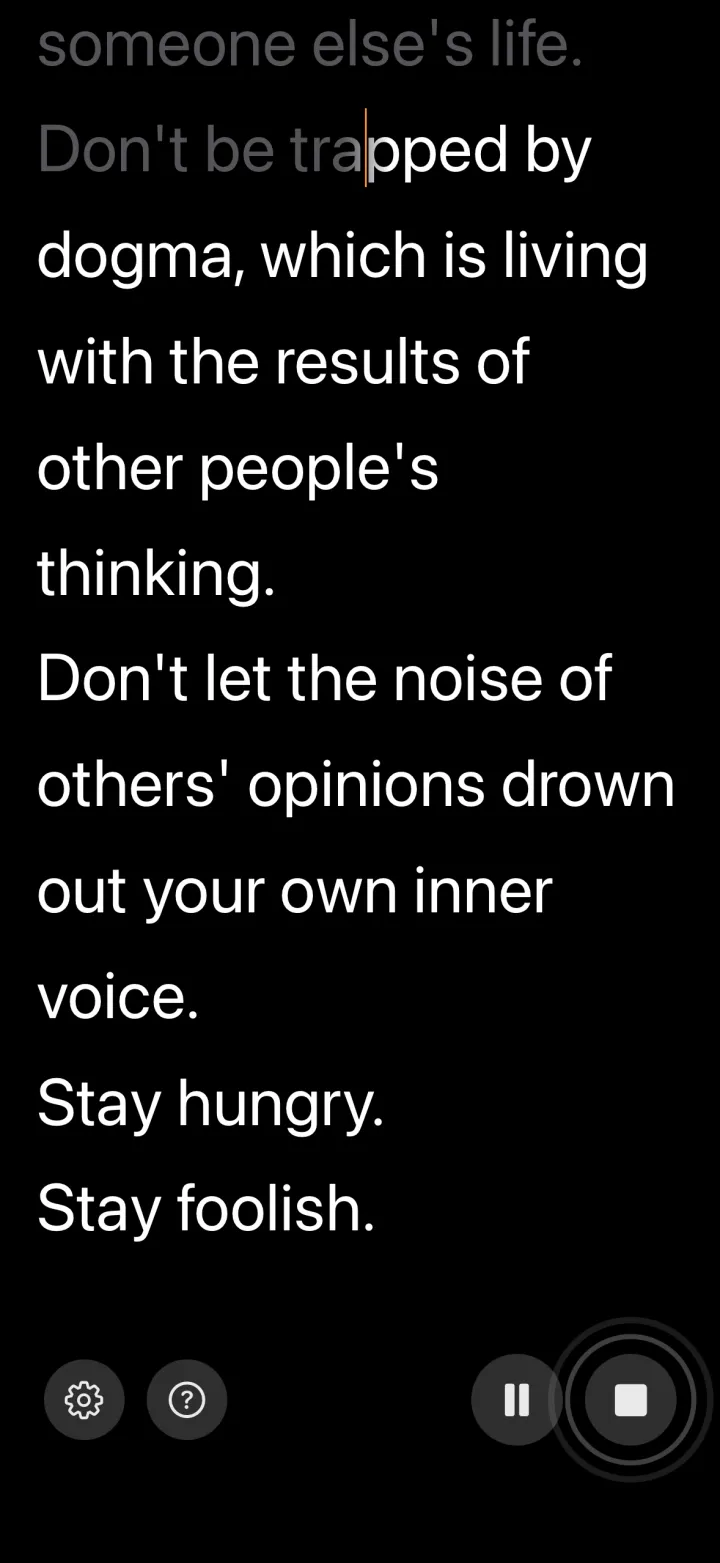
What to put on the screen
The biggest mistake is pasting in a full, word-for-word video interview script. Reading a paragraph verbatim sounds like reading a paragraph verbatim, no matter how close it is to the lens: it comes out flat, your eyes stop moving, and it's missing the little hesitations real speech has. It's more obvious than having no notes at all. Think of it as a cheat sheet, not a script.
Bullet points work far better. A few words per line, enough to jog your memory, not enough to read aloud. Think:
- Your opening: the three or four beats of your "tell me about yourself," not the full sentences.
- Specific examples: the project names, the numbers, the results you want to land. Details are easy to blank on under pressure.
- Questions to ask them: the two or three you've prepared for the end, so you're not scrambling when they say "any questions for us?"
- The role's must-hit points: two or three things from the job description you want to make sure you connect yourself to.
Keep it short enough that any single glance gives you the cue and sends your eyes back to the camera. The notes are there to catch you, not to be read.
Interviewing in a second language
This is where a teleprompter earns its place most clearly. If you're interviewing in English when it's not your first language, or in any language you're less fluent in, the load on your memory is doubled: you're recalling what to say and how to say it at the same time. Having your key phrases and vocabulary on screen frees up enough attention to actually sound natural.
Voice following only works if the app understands the language you're speaking, so check that before you rely on it. VoiceScroll tracks your voice in 34 languages on iPhone and iPad, and 26 on Android, so a non-native interview in most of them stays in sync.
The short version
A teleprompter doesn't answer for you. It keeps the notes you'd have brought to an in-person interview where the camera can't tell you're using them, so a flash of nerves doesn't cost you an answer you already knew. Prepare your own talking points, keep them to bullets, sit your phone just under the webcam, and check the employer's policy first.
If you want the kind that follows your voice instead of a fixed speed, VoiceScroll runs on iPhone, iPad, and Android, scrolls as you speak, and by default works offline in 34 languages on iPhone/iPad and 26 on Android and processes everything on-device. The free tier handles notes up to 300 characters if you want to try it before your next interview; Pro lifts that limit, as a yearly or monthly subscription or a one-time lifetime purchase.
Ready to try it?
Speech recognition keeps your script in sync as you talk. Paste, tap start, speak — no hands.
Frequently Asked Questions
Is using a teleprompter in a video interview cheating?
Reading your own prepared talking points is like bringing notes to an in-person interview, which is normal. What employers object to is live AI tools that generate answers for you in real time; some, like Amazon, ban those outright. Keep notes you wrote yourself, use bullet points rather than full answers, and check the employer's policy first.
How do I set up a teleprompter for a Zoom, Google Meet, or Microsoft Teams interview?
Take the interview on your laptop and put your phone, running the teleprompter, right below the webcam so your eyes stay near the lens. Raise the camera to eye level, set the font large enough to read without leaning in, and keep your notes as short bullet points.
Why use a voice-following teleprompter instead of fixed-speed scrolling?
You don't control the pace of an interview; the interviewer does, with interruptions and follow-ups. A fixed-speed scroll keeps moving regardless and forces you to adjust a slider on camera. A voice-following teleprompter like VoiceScroll tracks your actual speaking and waits when you pause, so you stay focused on the conversation.
Can interviewers tell if you're using a teleprompter?
Not if your notes sit close to the lens and you keep them to short cues. Trouble shows when text is off to the side so your eyes track sideways, when you read full sentences in a flat voice, or when you stare into the camera without ever looking away. Raise the webcam to eye level, use bullet points, and let your eyes drift naturally while you think.
Can a teleprompter help with an interview in a second language?
Yes. Having key phrases and vocabulary on screen frees up memory when you're interviewing in a language you're less fluent in. Voice following only works if the app understands that language; VoiceScroll tracks 34 languages on iPhone and iPad and 26 on Android, including English, Korean, Japanese, Chinese (Simplified and Traditional), German, French, Portuguese, and Spanish.
Try VoiceScroll for free
Voice-powered teleprompter that scrolls as you speak.