
Android Teleprompter App That Supports Japanese Voice (2026)
On this page
Short answer: yes. VoiceScroll for Android listens to spoken Japanese and scrolls your script to match your pace. By default, recognition runs on the device itself, so it works offline as long as the Japanese offline language pack is installed on your device, and VoiceScroll doesn't hand your audio to a server-based recognizer by itself. Online recognition is an option you can turn on (it is off by default) and it sends your audio to Google. The free tier covers scripts up to 300 characters, and Pro removes the limit as a yearly or monthly subscription or a one-time lifetime purchase (prices are shown in Google Play). No watermark.
If you searched for this, you've probably already discovered the hard part: plenty of Android teleprompter apps can display Japanese text, but very few can listen to Japanese and follow your voice. This guide explains the difference, why Japanese is harder for teleprompters than English, and what to check before you commit to any app.
"Supports Japanese" can mean two very different things
When an app listing says it supports Japanese, it usually means one of these:
- Display support. The app renders kanji, hiragana, and katakana correctly and scrolls at a fixed speed you set. Almost every teleprompter can do this, because fixed-speed scrolling never listens to you at all.
- Voice support. The app recognizes spoken Japanese and moves the script in sync with your voice. Pause and it waits; speed up and it follows. This is the part that's rare on Android.
Fixed-speed scrolling works in any language for the same reason a paper script does: it ignores you. If that's all you need, most free apps qualify. But if you want the script to follow your voice, the app's speech recognition has to actually understand Japanese, and that's the feature worth checking before you pay for anything.
Why Japanese is harder for a teleprompter than English
A few properties of Japanese make voice tracking genuinely more difficult, which is why so few apps offer it:
- No spaces between words. English teleprompters can lean on word boundaries to match what you said to the script. Japanese text doesn't have them, so the app needs real speech recognition rather than simple text matching.
- Character density. Japanese expresses the same idea in fewer characters than English, so scroll pacing tuned for English text moves too fast on a Japanese script.
- Speaking rate. Japanese is spoken at around 7.84 syllables per second versus about 6.19 for English, according to a 2011 study published in Language. Timing built around English speech falls behind.
Our guide to using a teleprompter across VoiceScroll's full language list covers these differences in more depth, including Korean and Chinese.
How VoiceScroll handles Japanese on Android
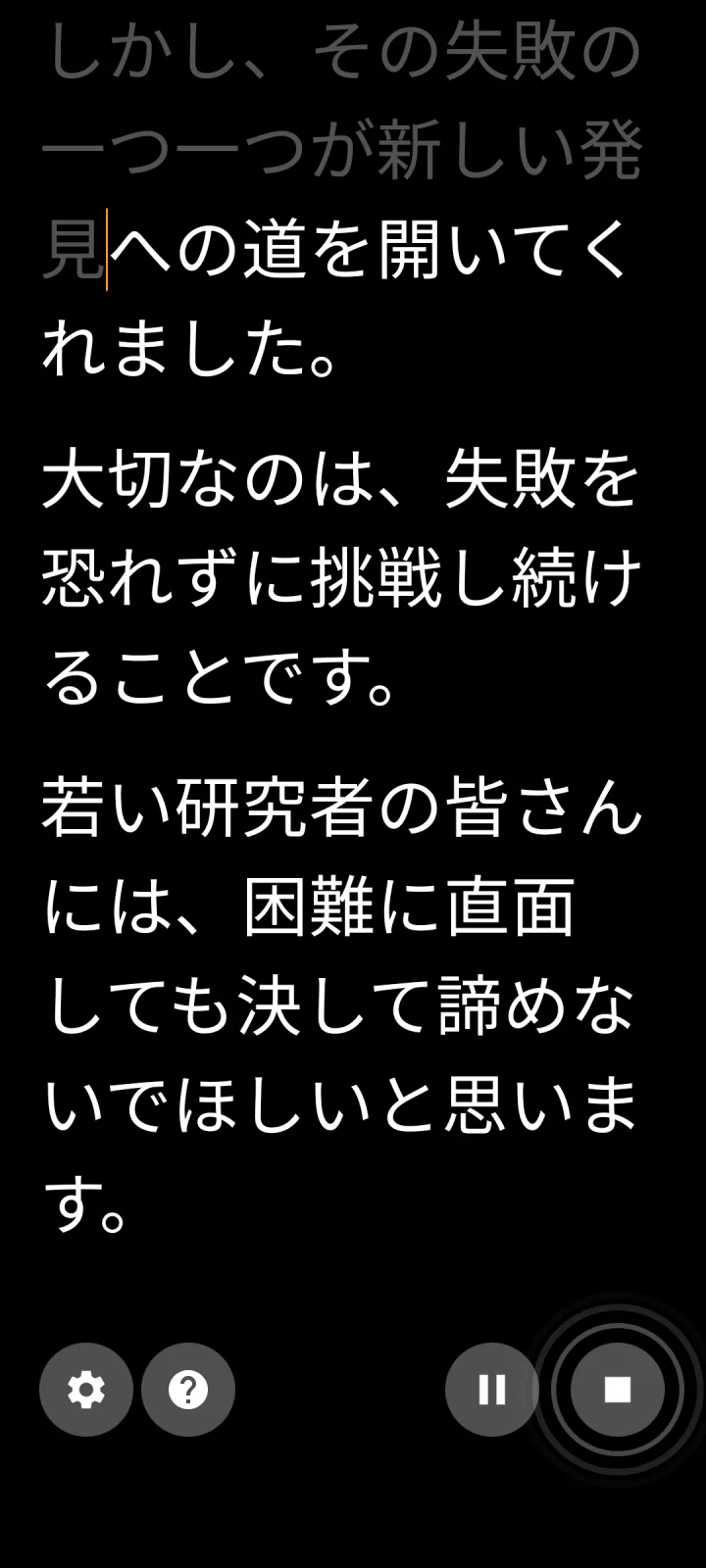
VoiceScroll uses on-device speech recognition to track where you are in the script, and Japanese is one of the 26 languages it recognizes on Android. In practice that means:
- The script follows your voice. Read at your own pace. Stop to think, and the text waits. Ad-lib a sentence, and it picks you back up when you return to the script.
- It works offline with the language pack. By default, recognition happens on the phone, so once the Japanese offline language pack is installed, airplane mode is fine and VoiceScroll doesn't send what you say to a server on its own. If the pack is missing, VoiceScroll tells you rather than switching to a server. For scripts you'd rather keep private, that matters.
- No per-language setup. Set the script language to Japanese and start talking.
The free tier handles scripts up to 300 characters, which for Japanese is a meaningful chunk of text, enough for a self-introduction or a short piece to camera. Pro removes the length limit, as a yearly or monthly subscription or a one-time lifetime purchase, with prices shown in Google Play. In-app camera recording is free. There's no account.
The honest way to evaluate it: paste a paragraph of your actual script into the free version and read it aloud once. You'll know within a minute whether the tracking keeps up with how you speak.
If you're comparing other Android apps
For any teleprompter that advertises voice-activated scrolling, check the listing (or ask support) for one specific thing: which languages the voice tracking supports. Many voice-controlled prompters were built around English recognition first, and Japanese support is either missing or unlisted. If the listing doesn't name Japanese explicitly, assume display-only until you've tested it.
Two more things worth checking for Japanese scripts specifically:
- Font size and line spacing. Kanji at small sizes is harder to read at a distance than Latin text. You want a font size you can push very large, and line spacing you can open up.
- Mixed-language scripts. If your script mixes Japanese with English product names or loanwords, test a real passage rather than a clean sample.
For the broader Android picture, including fixed-speed options that display Japanese perfectly well, see our roundup of the best Android teleprompter apps.
Bottom line
If you want an Android teleprompter that actually follows spoken Japanese, VoiceScroll is built for exactly that: on-device Japanese recognition by default, offline operation once the Japanese language pack is installed, and a free tier that covers 300 characters. If you only need Japanese text on screen at a fixed speed, almost any free teleprompter will do. The difference shows up the moment you pause, and only one of the two waits for you.
Ready to try it?
Speech recognition keeps your script in sync as you talk. Paste, tap start, speak — no hands.
Frequently Asked Questions
Is there an Android teleprompter app that supports Japanese voice?
Yes. VoiceScroll for Android recognizes spoken Japanese on-device by default and scrolls the script in sync with your voice. If you pause or ad-lib, the text waits for you. The free tier covers scripts up to 300 characters, and Pro removes the limit as a subscription or a one-time lifetime purchase.
Does Japanese voice recognition work offline in a teleprompter?
In VoiceScroll, yes, provided the Japanese offline language pack is installed on your device. By default, speech recognition runs on the device, so Japanese voice tracking works with no internet connection and VoiceScroll doesn't hand your audio to a server-based recognizer by itself. Online recognition, which sends audio to Google, is an opt-in that is off by default. Cloud-based apps need a connection because they process your voice on a server.
Do regular teleprompter apps display Japanese text correctly?
Most do. Fixed-speed teleprompters don't listen to you, so they work with Japanese, or any language, as long as the text renders. What's rare is voice-controlled scrolling that understands spoken Japanese, so check that specifically before paying for an app.
Why do most voice-controlled teleprompters fail with Japanese?
Japanese has no spaces between words, is denser per character than English, and is spoken faster, around 7.84 syllables per second versus 6.19 for English. Apps built around English word matching can't track it. It takes speech recognition that genuinely supports Japanese, which most teleprompter apps don't include.
Try VoiceScroll for free
Voice-powered teleprompter that scrolls as you speak.